Common STL File Errors That Delay Aligner Manufacturing
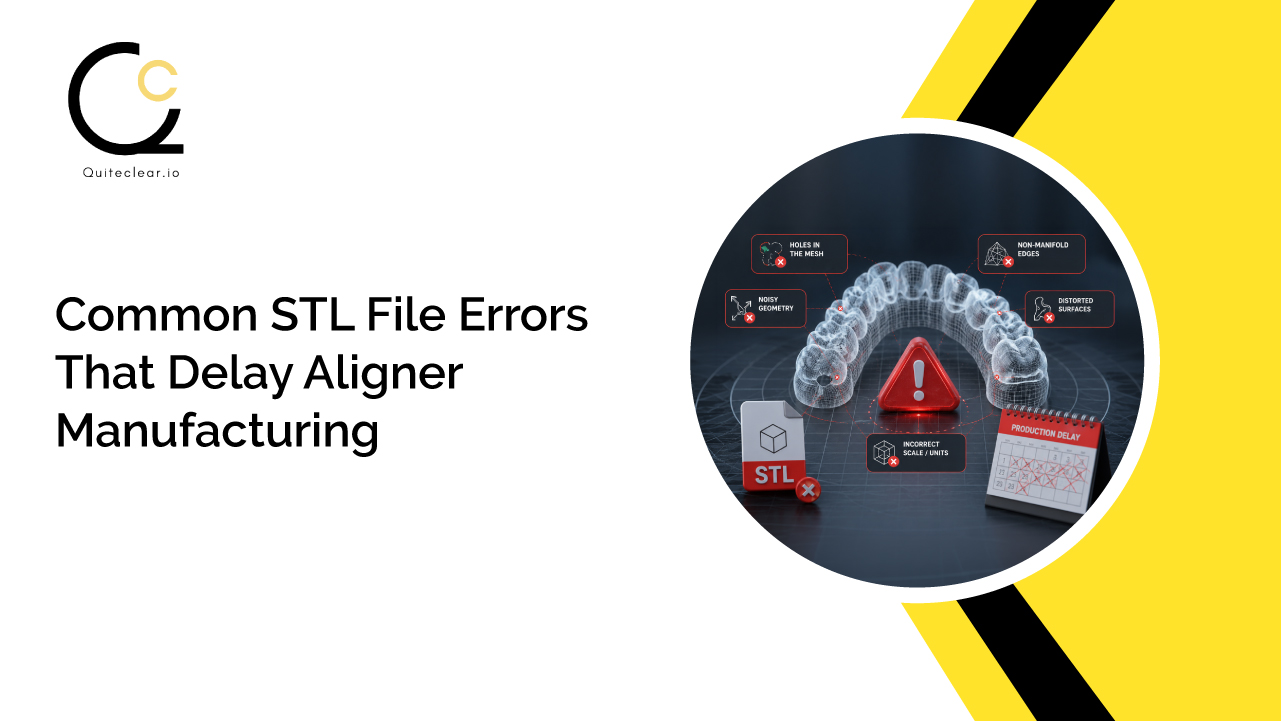
Your STL file might look perfectly fine, but is it actually ready for manufacturing?
In clear aligner production, even the smallest flaw hidden within an STL file can bring the manufacturing process to a standstill. Understanding these common errors can save valuable time, reduce rework, and keep treatments moving as planned.
Why Does STL File Quality Matter in Clear Aligner Manufacturing?
An STL file is more than just a digital model; it’s the blueprint for every clear aligner that will be manufactured. Every stage of the production process, from treatment planning to Aligner Trimming, relies on the accuracy and completeness of this file. If the data is flawed, those imperfections can carry through to the final aligner.
Unlike manual processes, manufacturing systems reproduce exactly what is present in the STL file. They cannot interpret missing surfaces, correct distorted scans, or fill in incomplete anatomical details. As a result, even minor file issues can lead to production delays, additional quality checks, or requests for revised scans.
High-quality STL files help ensure:
- Faster transition from file submission to production
- Greater manufacturing accuracy and consistent aligner fit
- Fewer revisions and reduced rework
- Shorter turnaround times for dental labs and clinics
- A smoother digital workflow from scan to final aligner
Investing a few extra minutes to verify STL file quality before submission can save days of delays later in the manufacturing process, helping deliver treatment more efficiently and with greater confidence.
The Most Common STL File Errors That Cause Manufacturing Delays
Even with advanced digital workflows, the quality of the final aligner depends heavily on the quality of the STL file submitted. Certain errors may seem minor during scanning or export, but they can interrupt production, require manual corrections, or even result in a complete re-scan. Here are some of the most common STL file issues that delay clear aligner manufacturing.
- Holes or Missing Mesh Data: An STL file is made up of thousands of tiny triangles (known as a mesh) that together create a complete 3D model of the patient’s teeth. When sections of this mesh were never captured or are lost on export, the anatomy itself is incomplete: the model contains holes, torn patches, or surfaces that sit detached from the rest of the tooth.
Manufacturing software relies on a complete digital model to generate aligners accurately. Missing mesh data creates uncertainty, making it difficult for the software to interpret the intended geometry. Before manufacturing can proceed, these files often require manual repair or replacement, adding unnecessary time to the workflow.
- Non-Manifold Geometry: Non-manifold geometry refers to structural errors within a 3D model that make it mathematically invalid for manufacturing. These may include duplicate edges, floating vertices, or internal faces that overlap with the main model. Such inconsistencies prevent manufacturing software from correctly interpreting the STL file, leading to processing errors or failed model generation. Resolving these issues typically requires additional file validation and correction before production can begin.
- Open or Unsealed Models: A printable STL file must form a completely enclosed, or watertight, 3D object. Open or unsealed models contain gaps where the surface is incomplete, preventing the software from recognizing the model as a solid object. At Quiteclear, we manufacture clear aligners for hundreds of labs, clinics, and aligner companies worldwide. Since each client uses different software to export treatment plans, we’ve processed hundreds of thousands of digital files and discovered that the most efficient workflow is when clients export their STL files as solid models. Once received, our team standardizes them by cleaning excess base material, ensuring 3D print compatibility, and aligning them with our uniform design and quality standards. At no point in design and manufacturing is the dental anatomy edited or refined. Without a closed mesh, manufacturing systems cannot accurately prepare the production model. These files usually need to be repaired before they can move to the next stage of the workflow.
- Scanning Artifacts and Noise: Intraoral scans can capture digital features that are not part of the anatomy, such as random spikes or floating particles, surface distortions, etc. While these might look like insignificant details that could be easily swept aside, in reality, they may lead to problems in aligner design, for instance, by creating wrong or even unwanted geometry as well as wrong surfaces that are completely misaligned. Therefore, by thoroughly cleaning up the scan files for final export, it is more likely that the manufacturing will be trouble-free and the quality of the resulting aligner will be very high.
- Missing Anatomical Details: A well-fitting aligner starts with a complete, accurately detailed scan of the oral cavity. When anatomical details such as partially developed molars, inaccurately represented tissue around the teeth, or ambiguous interdental zones are not captured well in the scan, the accuracy of the resulting digital model will drop significantly. A lack of such anatomical details would mean that the trimming lines would be hard to determine, making it difficult to construct precisely the features of the aligner needed to retain the teeth. So often the manufacturers might get hold of scans that are not good enough and thus ask for a new scan to make certain that the alignment is accurate. When planning clear aligner treatment, it is essential to consider the third molars as terminal teeth if visible. They must be included in the intraoral scan, and the manufacturer should be informed to ensure the aligners cover them. Failure to account for terminal molars can compromise treatment predictability, particularly if they erupt mid‑treatment, potentially disrupting tooth movement and overall outcomes.
- Distorted or Low-Resolution Scans: Low-resolution scans often lack the fine details needed for precision manufacturing. Distorted tooth surfaces, rounded edges, and poor anatomical definition can reduce the accuracy of the digital model. Because aligners are manufactured directly from this data, any loss of detail may affect their fit, comfort, and effectiveness. Using appropriate scan resolution helps preserve critical anatomical features throughout the manufacturing process.
- Incorrect Model Orientation: The orientation of an STL file plays an important role in maintaining an efficient digital workflow. Models that are rotated incorrectly, scanned upside down, or positioned inconsistently may require additional adjustments before they can be processed. While orientation errors are generally easier to correct than structural issues, they still introduce unnecessary manual intervention and can slow overall production, especially when handling large case volumes.
- Multiple Models in One STL File: In some cases, both upper and lower arches are exported together, duplicate scans remain within the same file, or unwanted objects are accidentally included during export. Manufacturers typically require each arch as a separate, clean STL file to ensure accurate processing. Extra models or unnecessary data increase preparation time and may require manual editing before manufacturing can begin.
- Incorrect File Export Settings: Even a well-captured scan can lose quality if exported using incorrect settings. Over-compressed STL files or excessively coarse mesh settings reduce the level of detail retained in the final model. Loss of critical anatomical information during export can compromise manufacturing accuracy and may require a new file submission. Following the recommended export settings helps preserve scan quality and supports a faster, more reliable production workflow. At the same time, overly heavy files (a mistake of exporting the STLs as study models) will lead to unnecessarily large files, which will slow down your download/upload speed and processing time to order.
- Not Factoring Gingival Correction As Treatment Progresses: Digital treatment planning moves teeth, but it does not automatically move the gum tissue around them. In many planning workflows, each stage model is generated by repositioning the teeth while the gingiva remains fixed exactly where the original scan captured it. As teeth translate, rotate, and tip through successive stages, a mismatch builds up at the gingival margin.
The stage models below show what this looks like in practice: stretched, “stepped” mesh walls beside repositioned teeth, jagged and uneven gingival margins, and, in more advanced stages, open gaps and holes where a tooth has pulled away from the static tissue.
Because aligners are thermoformed on models printed directly from these files, every one of these defects transfers to the physical model. The trim line ends up following a distorted margin, producing aligner edges that are uneven, uncomfortable, and potentially less retentive. Severe cases introduce the very holes and open surfaces described in errors #1 and #3, stopping the file at validation. And because manufacturers standardize files without editing dental anatomy, these defects cannot be fixed at the manufacturing stage; they must be corrected in the treatment planning software before export.
Best Practices to Avoid STL File Errors
Preventing STL file errors starts long before the file reaches the manufacturing stage. A few simple quality checks during scanning, model preparation, and export can significantly reduce delays, minimize rework, and ensure a smoother production workflow. Adopting these best practices helps dental labs and clinics submit files that are ready for manufacturing the first time.
- Capture Complete and Accurate Scans: Ensure the entire dental arch is scanned clearly, including molars, gingival margins, and interproximal areas. A complete scan provides the detailed anatomy needed for precise aligner design and manufacturing.
- Inspect the Model Before Export: Take a few moments to review the 3D model for missing surfaces, holes, distortions, or unwanted artifacts. Identifying issues early is far easier than correcting them after submission.
- Remove Scan Artifacts and Unnecessary Data: Clean the model by deleting floating particles, random spikes, duplicate scans, and any excess geometry that doesn’t belong to the final model. A clean STL file is easier to process and less likely to require manual correction.
- Validate the Mesh: Use your scanning or CAD software to check for mesh issues such as holes, non-manifold geometry, or open surfaces. Most modern software includes validation tools that can identify and repair common errors before export.
- Export at the Recommended Resolution: Avoid over-compressing STL files or selecting low-resolution export settings; equally, avoid exporting stages as heavy study models. Maintaining sufficient mesh detail ensures important anatomical features are preserved for accurate aligner manufacturing without bloating file sizes.
- Keep the model solid: Do not generate any supports or honeycomb structures at the base of the model.
- Organize and name every file consistently: Export the upper and lower arches as separate files, and consolidate all treatment stages into a single folder; some planning software, such as 3Shape, exports each stage into its own folder by default. Name each file with the patient’s name first, followed by an upper/lower identifier and the stage number (most planning software supports this). We process hundreds of files daily, and for clinics, labs, and aligner companies handling high case volumes, this habit is essential: it minimizes the risk of mixed-up patient data and helps prevent costly manufacturing errors.
- Apply Gingival Correction At Every Stage: When staging tooth movements, run your planning software’s gingival adaptation feature before exporting the stage models. Maestro 3D, for example, includes an auto gingival correction function that re-adapts the gum tissue around each tooth as it moves, keeping the margins smooth and continuous through every stage. This workflow operates on open STL meshes, which is why some treatment planners export open models rather than watertight solids for these cases; if your workflow does this, inform your manufacturer in advance so the files can be standardized correctly. If your software offers no automatic correction, inspect the gingiva around every moved tooth and repair uneven margins before export.
- Verify Every Attachment Sits Flush On The Tooth Surface: Check each attachment, bite ramp, bite block, and cutout before export; the base must merge with the tooth mesh, never hover above it.
Follow Your Manufacturing Partner’s Submission Guidelines: Every aligner manufacturer may have specific file requirements. Reviewing and following their submission guidelines ensures your STL files meet production standards and reduces the chances of delays caused by avoidable formatting or export issues. Speak to our support staff at Quiteclear +91 635 151 6263 to know how we prefer to get the files for manufacturing to speed up manufacturing.
In clear aligner manufacturing, the time and quality of the resulting product depend more on production planning and the quality of the STL file. One must not underestimate how significant even minor errors in the file can be, which can be a missing mesh data, scanning artifacts, or improper export settings, as they may lead to wasted time for the dentist, the number of times the models are changed, and even longer turnaround times.
Dental labs and clinics adopting the best scan validation and export standards for the STL files can enhance their digital processes, mitigate production roadblocks, and also obtain higher chances of getting the aligners precisely shaped. A properly prepared STL file not only helps in a faster manufacturing process, but it also improves the chances of an accurate, well-fitting aligner, thereby providing a more comfortable patient treatment experience.
Tired of Complicating Your Aligner Manufacturing?
We at Quiteclear offer an integrated solution comprising advanced digital workflows and stringent file validation to ensure that only high-quality and precise files are sent into the production process. Established dental laboratories and new clinics alike will benefit from partnering with us as a reliable source of consistently high-quality work, timely delivery, and top-class manufacturing support. With a partnership with Quiteclear, your STL files can be transformed rapidly, intelligently, and with confidence into beautiful custom-fit clear aligners.